CyberHalluciNet CHN

Enterprise IT · OT · AI agent defense

CyberHalluciNet

Detect machine-speed threats with deterministic deception.

When a hijacked agent runs a forbidden scenario on decoys, you get campaign-grade evidence — and a human path to Soft/Hard action, not another SIEM flood. Soft/Hard stays Propose→Approve→Execute on a separate Beta plane. Detection stays off until you enable observe.

Free for Internal Use · Source-available

CyberHalluciNet is in private preview. Contact security@helloaeterna.com for access.

Why decoys

Your tools watch real systems. Attackers and agents do not care.

Alert factories failed

Another honeypot that only pages the SIEM is noise with a new name.

Agents run scenarios

Hijacked tool-calling agents execute plans — recon, tool use, credential replay — not one-off pings.

You need a path to action

Evidence has to grade and correlate into a campaign you can Propose→Approve→Execute.

CHN is built for that loop — graded scenario evidence and human-gated Soft/Hard, not “touch → ticket.”

What it covers

Three surfaces. One fail-closed engine.

Identity

Catch credential probes early.

Synthetic identity lures and deception-only credentials (no real access). Agentless ITDR lure packs.

How identity decoys work

Industrial systems

Contained OT without a live PLC on the sensor.

Modbus / EtherNet/IP / Rockwell WWS fiction. Optional passive SPAN/TAP profiling and Zero-Collision Certificate before active listen (gates default off).

How OT decoys work

AI agents

Know when an agent calls a decoy tool.

Opt-in honeytools, shadow canaries, and Contained MCP tool decoys — MCP is the connector that lets AI agents call tools. Defaults stay off.

Catch a hijacked agent

How it works

Scenario in. Campaign evidence out. Action only when you approve.

  1. Plant a forbidden scenario

    Decoy MCP tools, shadow canaries, and credentials approved workflows never call.

  2. The agent runs the plan

    Invocation, canary adoption, or credential use becomes graded evidence — not a raw page.

  3. Approve Soft/Hard

    Campaign evidence in Ops. Soft/Hard stays Propose→Approve→Execute on the Beta Enforcement Plane.

Works with your stack

  • Splunk
  • Microsoft Sentinel
  • Slack
  • Webhooks
  • CEF

Connect SIEM, notify, and SOAR through Ops Plugins. Full integrations

Proof

Real protocol responses, not mock-ups

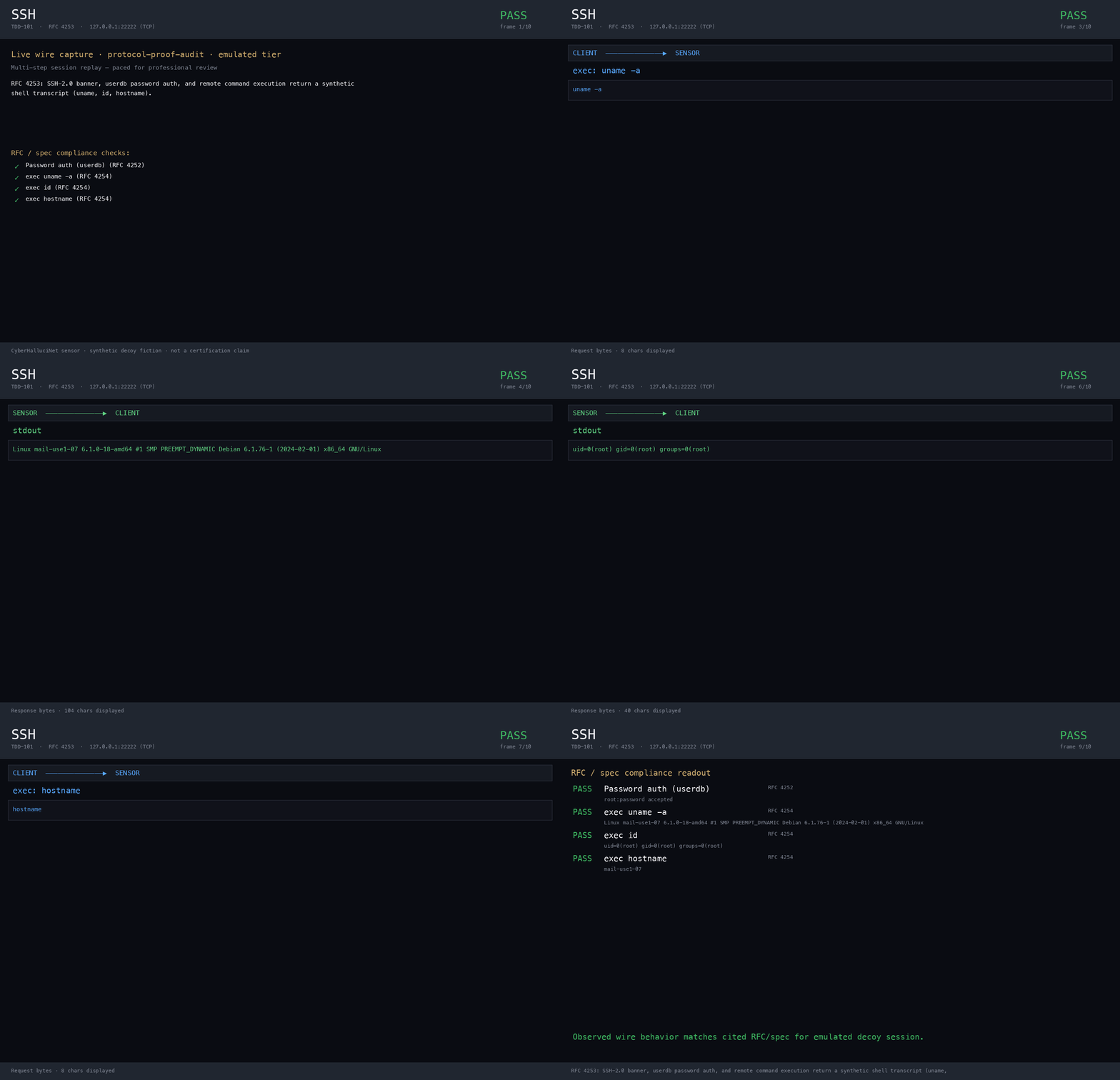
SSH decoy protocol capture replay
SSH Contained face
Transcript

Wire capture of the Contained SSH decoy handshake and banner path used in protocol-proof audits. Synthetic only — no real shell.

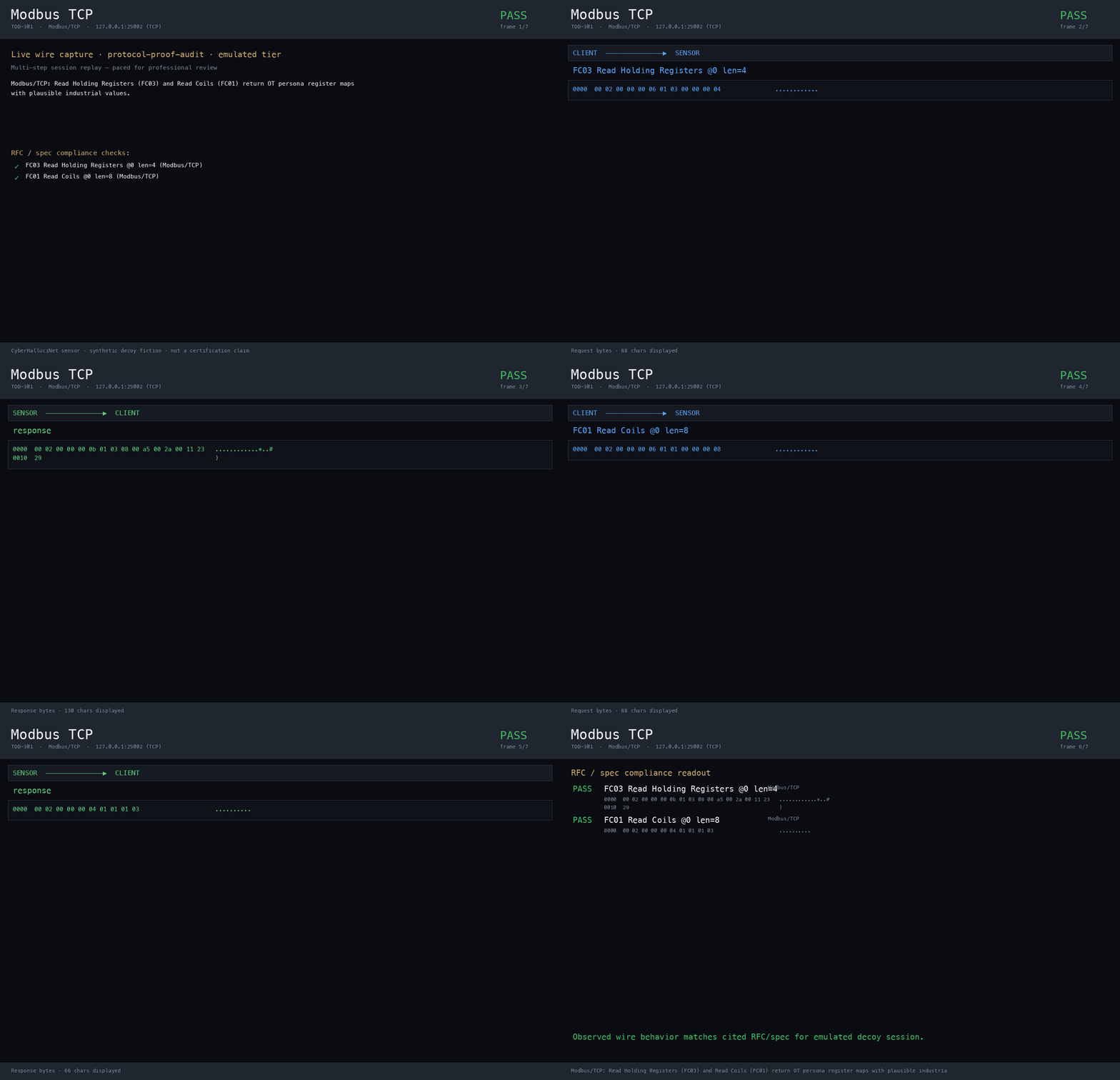
Modbus decoy protocol capture replay
Modbus Contained OT face
Transcript

Wire capture of Contained Modbus responses. No live PLC on the sensor.

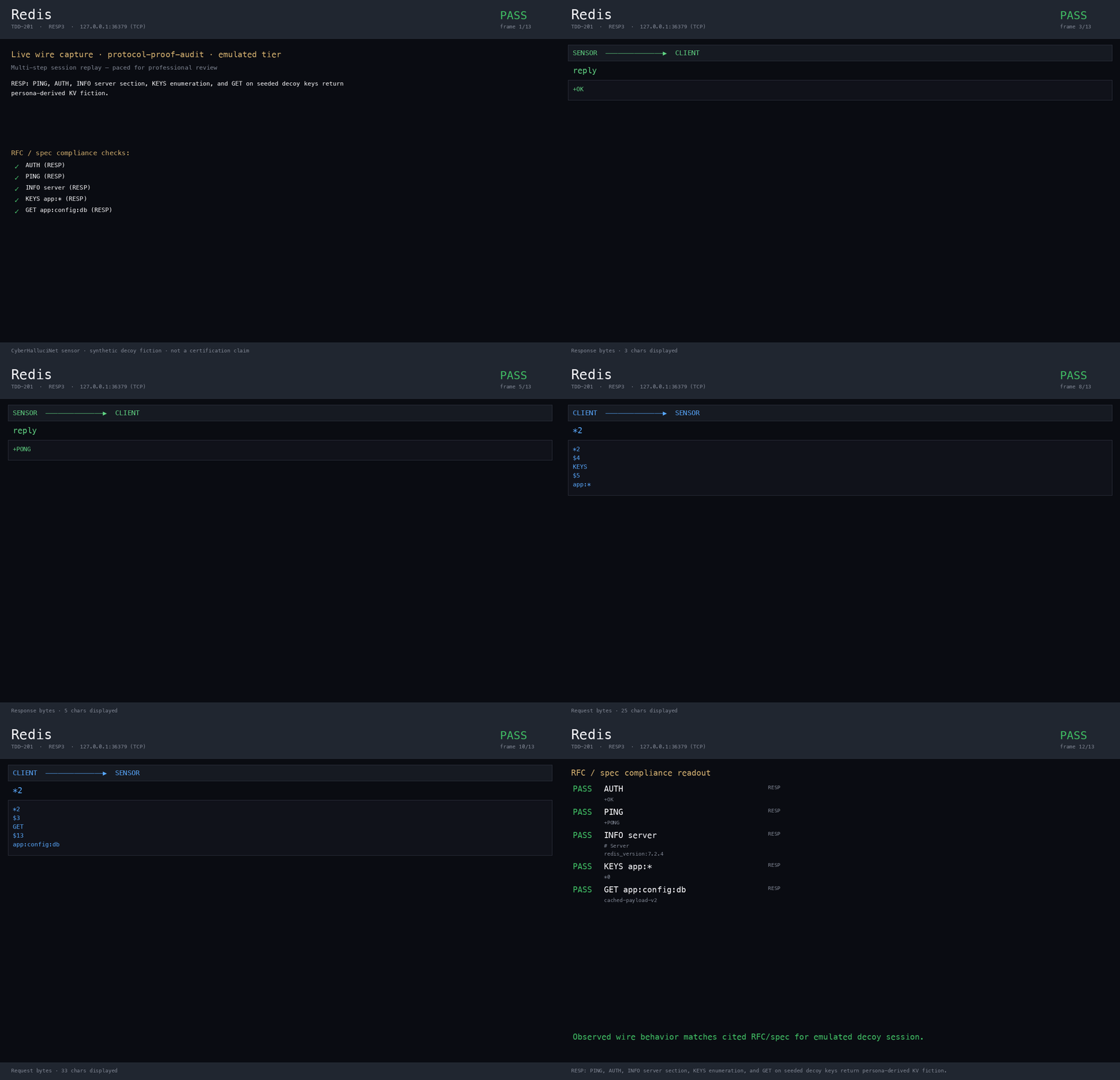
Redis decoy protocol capture replay
Redis Listen decoy
Transcript

Wire capture of the synthetic Redis Listen face used in database decoy proofs.

Sample alert shape (OCSF Detection Finding)

Metadata-only export sample aligned with Ops OCSF helper fields. Containment stays advisory.

{
  "schema_version": "1.1.0",
  "class_uid": 2004,
  "class_name": "Detection Finding",
  "category_uid": 2,
  "activity_id": 1,
  "severity_id": 3,
  "message": "honeypot research case export",
  "finding_uid": "example-report-id",
  "metadata": {
    "version": "1.1.0",
    "product": { "name": "CyberHalluciNet Ops", "version": "1.0" }
  },
  "containment_mode": "advisory_only",
  "execute_containment": false,
  "recommended_containment": ["HUMAN_REVIEW_REQUIRED"]
}

Export paths include Splunk-style, Sentinel, and CEF plugins. See all supported protocols

Why it is safe

AI can suggest what a decoy says. It never decides what happens on your network.

  • The sensor owns wire bytes; the AI broker is suggestion-only (Split Authority).
  • Detection scores never auto-block (SEC-004 / SEC-AI-001).
  • Soft/Hard Beta on the Enforcement Plane (LocalState + BYO webhook); native EDR/IdP SDKs remain GA-train.
  • No CyberHalluciNet entitlement phone-home. Research profiles default-deny sensor egress; operator sinks and CTI are opt-in.

Free and open

Free to start. Clear when you need a commercial license.

Free (PSL-1.0 Internal Use)
Personal, research, academic, and in-house deployment you run.
Paid (OEM / commercial)
Embed, redistribute, or offer as a paid hosted or managed service to customers (includes MSSP-resold CHN). Running CHN inside an MSSP’s own ops is Internal Use.
Detection
Shipped, off by default until you enable observe.
Active response
Beta (LocalState + optional BYO webhook).
Deploy
Docker Compose, Helm (deploy/helm/chn-sensor), local lab. Default bind: loopback.

Next step

Evaluate, or run the lab.

Run it

One command builds a local lab

Builds bin/sensor and bin/enforcementplane. Does not enable honeytools until you opt in.

make agentic-lab-install
Contained research path (loopback)

From install docs — use your published image or local binary. Registry names are release-time placeholders.

docker run --rm -p 127.0.0.1:2222:2222 -p 127.0.0.1:8080:8080 \
  <sensor-image>

Loopback by default. Detection off until observe. Not Internet-facing by default.

Open detection lab tutorial

Procurement

Trust pack for Infosec and Legal

ASR kit, readiness mapping, and commercial terms — without claiming SOC 2 / ISO / FedRAMP certification.